What is Compressed vs. Uncompressed Video?

Choosing between compressed and uncompressed video formats is crucial for balancing quality, storage, and transmission efficiency. Each format serves distinct use cases, from live broadcasting to high-end post-production.

Understanding Compression in Video Processing

Compressed and uncompressed video are two approaches to storing and transporting video, with different requirements for bandwidth, processing, latency, and image quality.

In professional media production, the choice is not necessarily one or the other.Uncompressed video is commonly used where high quality and very low latency are priorities, while compressed video can significantly reduce bandwidth requirements for contribution, remote production, cloud connectivity, and distribution.

What Is Compressed Video?

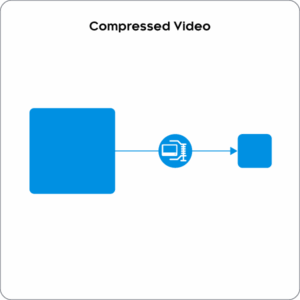
Compressed video uses a codec to reduce the amount of data required to represent a video signal. Compression works by removing or more efficiently representing redundant information within and between video frames, reducing bandwidth and storage requirements.

Common compression technologies used in professional media workflows include:

  • H.264/AVC – widely used for streaming, contribution, and distribution.
  • HEVC/H.265 – provides greater compression efficiency than H.264 and is suitable for high-quality HD, UHD/4K, and HDR workflows.
  • JPEG 2000 – used in professional media applications requiring high image quality and relatively low latency.
  • JPEG XS – a lightweight, very-low-latency codec designed for professional production workflows where high image quality and reduced bandwidth are required.

Depending on the codec and configuration, compression can be lossless, visually lossless, or lossy, creating different trade-offs between image quality, bitrate, latency, and processing requirements.


What Is Uncompressed Video?

Uncompressed video represents and transports video samples without applying video compression.

Because no codec-based encoding and decoding is required, uncompressed video can provide very low latency and freedom from compression artifacts, making it particularly suitable for demanding live production environments.

The trade-off is bandwidth. High-resolution uncompressed video requires significantly more network capacity than compressed video, particularly for UHD and higher frame-rate formats.

Modern media workflows therefore often combine both approaches:uncompressed video within high-capacity production networks and compressed video where bandwidth is more constrained, such as across wide-area networks or certain cloud connections.

Compressed vs. Uncompressed Video

FeatureCompressed VideoUncompressed Video
BandwidthReducedHigh
Image QualityDepends on codec, bitrate, and compression levelNo compression-related quality loss
LatencyEncoding and decoding can introduce latencyVery low
ProcessingRequires encoding and decodingNo codec processing required
Network RequirementsSuitable for bandwidth-constrained networksRequires high-capacity infrastructure
Typical UsesContribution, remote production, WAN, streaming and distributionStudio and live production networks

Choosing Between Compressed and Uncompressed Video

The appropriate approach depends primarily on:

  • Bandwidth availability – compression can significantly reduce the network capacity required to transport video.
  • Latency requirements – uncompressed video eliminates codec latency, while low-latency codecs can provide a compromise between bandwidth and latency.
  • Image quality – different compression technologies provide different quality levels, from lossy to visually lossless or lossless.
  • Processing resources – compressed workflows require encoding and decoding capabilities.
  • Workflow requirements – production, contribution, remote production, cloud, and distribution environments can have very different requirements.

Benefits of Each Format

  • Efficient storage: Reduces file sizes, saving storage space.
  • Lower bandwidth requirements: Suitable for streaming and cloud-based workflows.
  • Faster processing: Reduces file transfer times, improving efficiency.

Uncompressed Video Benefits:

  • Maximum quality: Ideal for professional editing and high-end post-production.
  • No compression artifacts: Preserves every detail without distortion.
  • Greater flexibility: Allows for precise editing and color correction.

How Nevion Supports Compressed and Uncompressed Video

Nevion supports both compressed and uncompressed media workflows, allowing media organizations to select the approach that best meets their requirements forquality, latency, bandwidth, and infrastructure.

Nevion Virtuoso supports real-time media processing and transport for both compressed and uncompressed IP media workflows, including low-latency HEVC compression for contribution and remote production.

MOXELA provides software-based media processing on COTS compute and cloud infrastructure. It supports compressed media technologies includingHEVC/H.265 and NDI, enabling software-defined contribution and processing workflows.

Through the Media eXchange Layer (MXL), MOXELA can also participate in workflows based on the real-time, in-memory exchange of uncompressed video, audio, and metadata between software-based media applications.

Together, these technologies enable media organizations to use uncompressed media where quality and latency are priorities, and compression where bandwidth efficiency is required.

Further Information